Skip to content
25 Sep, 2026
Latest Posts
OSS Document Scanner is an open source mobile app to scan documents to PDF
Grist is an open source self-hosted spreadsheet with a database hiding underneath
OpenCode is an open source alternative to Claude Code
AI Efficiency Could Cost Us the Next Generation of Experts
Immurok Fingerprint Key Unlocks Linux, Approves SSH and AI Agents
Gadgeteer icon

GadgeteerZA

Simplifying Gadgets and Technology, is my passion!

  • Photo of keyboard with open source title
    My Massive list of FREE and Open Source Software...
  • A white off-road vehicle parked on a dirt path surrounded by rugged hills and sparse vegetation under a clear blue sky.
    My Jimny page...
  • Yaesu Radio
    My Ham Radio Pages...
  • Photo of two hands, one humna, one AI
    My Tech blog about daily items I find interesting...
  • Photo of keyboard with contact sign
    Contact me

  • Home
  • Gadgets
    • On my Radar
    • Android
    • Nokia E90
    • Apple iPhone
    • Computers
  • Other Interests
    • My Alternatives to Big Tech
    • Alternatives to Big Tech Social Media
    • Solar Tips
    • Traditional Shaving
    • Pinelands
    • Home Automation
      • Google Assistant Commands
      • Home Assistant
      • Configuring Acurite Weather Station with Weewx
      • Configuring the Ambient Weather WS-2902C weather station
    • Ham Radio
      • OpenWebRx Web-Based Radio Receiver
      • VarAC P2P Digital Mode Chatting Application
        • VarAC EmComm Use South Africa
        • VarAC Wednesday Check-Ins
      • FreeDV HF Digital Voice for Amateur Radio
      • Ham Radio Digital Modes on iPhone and Desktop Computers
      • Hardware devices for Digital Ham Radio Modes
      • How to configure APRS Reporting in South Africa
      • PC Based Messaging with Outpost
      • Winlink 2000 E-Mail via Radio
        • Winlink Wednesday Check-Ins
      • Meshtastic in South Africa
      • MeshCore in Soutrh Africa
        • Elecrow ThinkNode M9
      • JS8Call Digital Mode
        • JS8Call Messages for Exercises or Emergencies
      • Tips on using an Anytone 878 with an Openspot
    • Starting a WordPress site
    • GadgeteerZA Public Photos
      • Places of Interest Photo Albums
      • Hiking photos
    • Photography
    • Reading
    • Various Vehicles
      • Suzuki Jimny
      • My Bike
        • Tips for Operating the BMW R1200GS
    • Family Stories
      • Recollections of my Childhood by Billie Fourie
      • Memories and Recollections of Parow
  • FOSS
    • FOSS Maturity
    • BEE and SMME Vendors
    • Linux
    • Microsoft Office
  • Blog Posts
  • Site Info
    • Site Notices
    • About
    • Social Networks
    • Privacy Policy
    • Contact
    • Sitemap
    • Comments Policy
  • Home
  • KDE

Tag: KDE

I discovered KDE’s hidden superpowers after installing these 3 open-source utilities
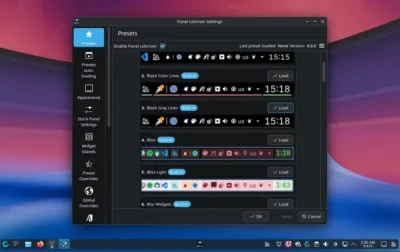
2026-09-082026-09-08 Danie
Screenshot of the "Panel colorizer Settings" window showing various preset options for panel appearance and customization on a desktop PC.

“If you’ve been in the Linux space for a while, you know just how customisable KDE Plasma can be. However, a lot of us only limit that customisation to picking the theme or moving the […]
BlogKDE, opensource, Plasma, technology

Love KDE Plasma? These 7 Linux Distros Use Plasma as Their Default Desktops

2025-01-062025-01-06 Danie
The image showcases multiple computer screens displaying various aspects of the KDE Neon 6.0 operating system. In the foreground, a large, stylized gear dominates, symbolizing the system's settings and configuration. The background features several vibrant, cartoonish illustrations, including a whimsical red tree and a simplistic lighthouse scene. The screens show file browsers, system settings, and application launchers, clearly indicating a desktop computing environment. The screens subtly curve to suggest a 3D effect, adding a unique visual style. A keen observer will notice subtle details such as the specific version numbers of the software displayed on the screens, including KDE Plasma and Qt versions. The hardware specifications, like processor type and RAM size, are visible in system information windows.

KDE Plasma is a powerful desktop environment that gives you tons of customisation over how your system looks and feels. However, you need to pair it with the right base distro to get the perfect […]

BlogKDE, linux, opensource, technology

KDE is Making its Own Distro, and So is GNOME

2024-12-052024-12-05 Danie
The image shows a computer screen displaying the system settings of what seems to be a KDE Plasma desktop environment. In the foreground, various system settings options are visible, including input & output, display & monitor, and connected devices. The background features a cartoonish landscape with soft, pastel colors. The main focus is on the system settings menus, with file manager windows showing in the center. There is also a small 'Apply' button at the bottom, which suggests some configuration changes have been made.

KDE’s distro won’t be the same as their KDE Neon (which is Ubuntu based) but it is uncertain whether the new one will replace KDE Neon (I think not because of the differences). What is […]

Bloggnome, KDE, linux, technology

How to Install KDE Plasma in Ubuntu, Debian and Mint: Because you have Choices

2024-04-302024-04-30 Danie
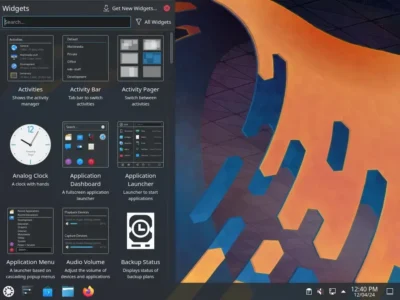
Linux KDE desktop showing a taskbar along the bottom . The left side of the desktop is showing a window pane with a selection of different widgets to install e.g. for Activities, Application Menu, Audio Volume, etc. To the right side is the colourful desktop background in orange, blue and grey colours.

KDE Plasma (KDE) is a well-known desktop environment for Unix-like systems designed for users who want to have a nice desktop environment for their machines, it is one of the most used desktop interfaces out […]

BlogKDE, linux, opensource, technology

KDE Plasma 6 to Ship with Floating Panel and Wayland enabled by default

2023-05-132023-05-13 Danie
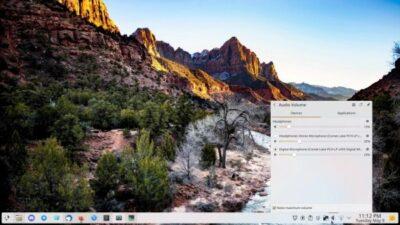
A Linux desktop showing a floating panel at the bottom

I’d actually missed that there was a floating panel, and it works quite nicely if you allow apps to appear below it. Wayland will be interesting as I heard it was all ready for KDE […]

BlogKDE, linux, opensource, technology, wayland

After many months, I seem to have solved my very long boot up times on Manjaro KDE

2023-05-092023-05-09 Danie
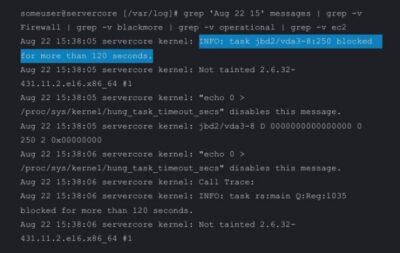
Terminal screen showing text 'task blocked more than 120 seconds'

The last many months I’ve been struggling with having a boot up time of a good 10 – 15 minutes with Manjaro KDE. As this is a rolling distro, my configs are many years old […]

1 CommentBlogbootup, KDE, linux, manjaro, technology

KDE Plasma: Full Featured Linux Desktop That’s Surprisingly Easy on Resources

2023-02-132023-02-13 Danie
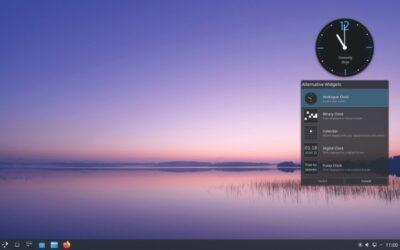
A computer desktop display with background showing a landscape at sunset with water and sky, a panel at bottom, and a analogue clock widget at top right, with a box below it listing alternative widgets.

KDE’s Plasma desktop environment, once considered something of a resource hog, has more features than ever and is Linux’s most configurable desktop, yet it’s as easy on resources as relatively lightweight desktops such as Xfce. […]

BlogKDE, linux, opensource, technology

KDE Plasma 5.26 Beta Released With New “Plasma Bigscreen” Interface For TVs

2022-09-172022-09-17 Danie
KDE Aura Browser

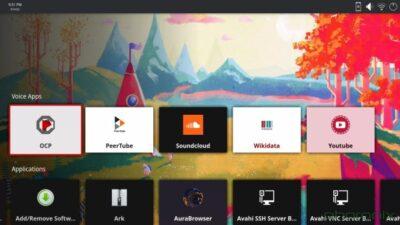
Plasma 5.26 introduces “Plasma Bigscreen” as a user-interface optimized for TV usage or other large format displays. Plasma Bigscreen has the Aura Browser optimized for large displays, the Plank Player for playing multimedia content nicely […]

Blog#bigscreentv, KDE, linux, opensource, technology

10 Best Linux KDE Apps for Everyone in 2022

2022-07-112022-07-11 Danie
kde apps

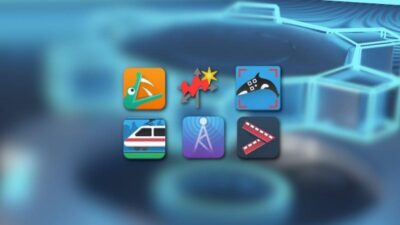
Maybe this should be titled the best lesser known KDE apps as all of them are actually excellent apps, but the best known are likely to be DigiKam, Kdenlive, Amarok, Krita, Marble, etc which are […]

BlogKDE, linux, opensource, technology

Put sticky notes on your Linux KDE desktop, with alarms

2022-02-282022-02-28 Danie
knote color

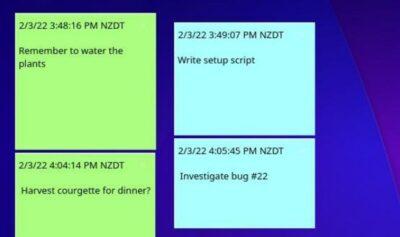
KDE Plasma Desktop has digital sticky notes, and in many ways they’re even more useful than the physical ones. The application is called KNotes, and if you have random ideas that you feel like jotting […]

BlogKDE, linux, opensource, organising, stickynotes, technology

Posts pagination

1 2 Next
Get new posts by email:

Powered by follow.it

Creative Commons Attribution-NonCommercial-ShareAlike
  • LinkedIn
  • YouTube
  • Mastodon
  • Telegram
  • Tumblr
  • Friendica
  • Hubzilla
  • PixelFed
  • MeWe
  • BlueSky
  • XMPP
  • Matrix
  • Nostr
  • RSS
Magazine Plus by WEN Themes